Give every document its place.
Koda is a document manager for Mac, iPhone and iPad. File contracts, invoices and receipts once, find them in seconds, and keep them as normal files in your own iCloud Drive. No account, no tracking.
Help center →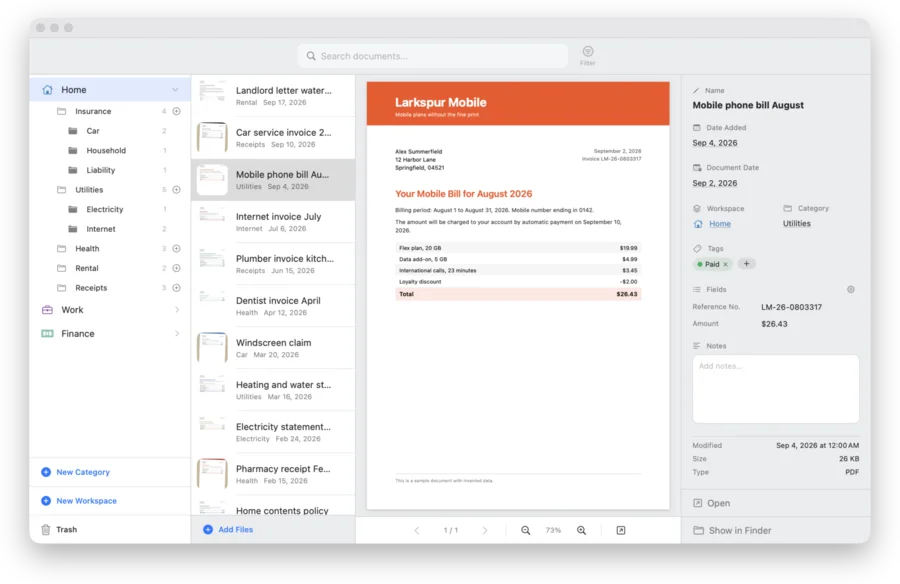
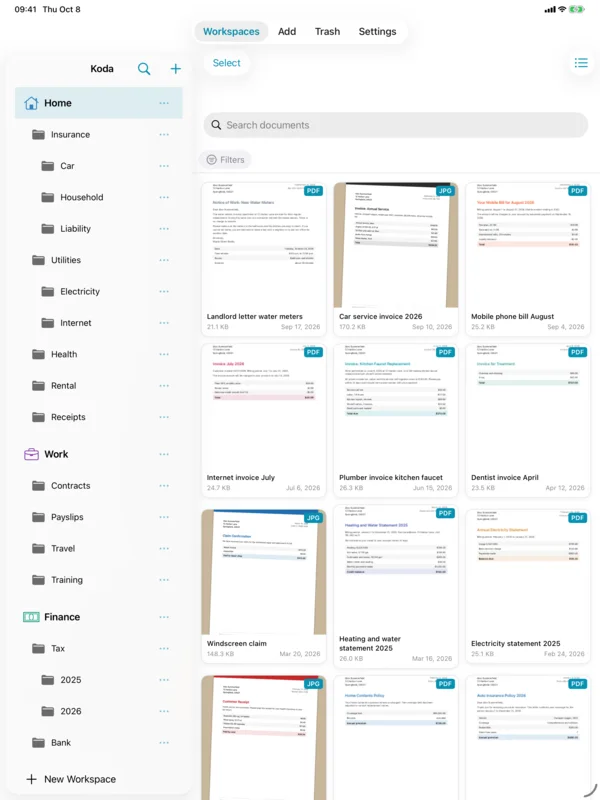
Workspaces, categories and sub-categories
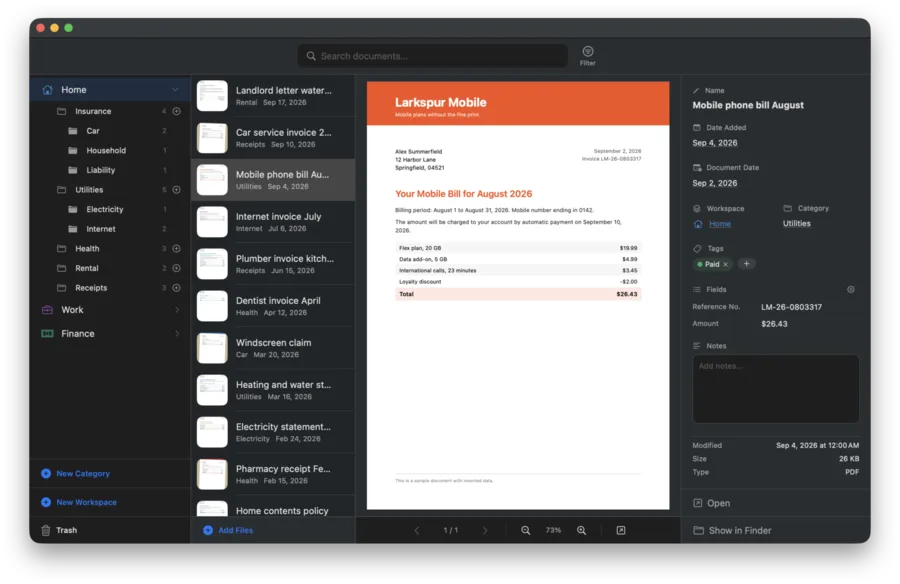
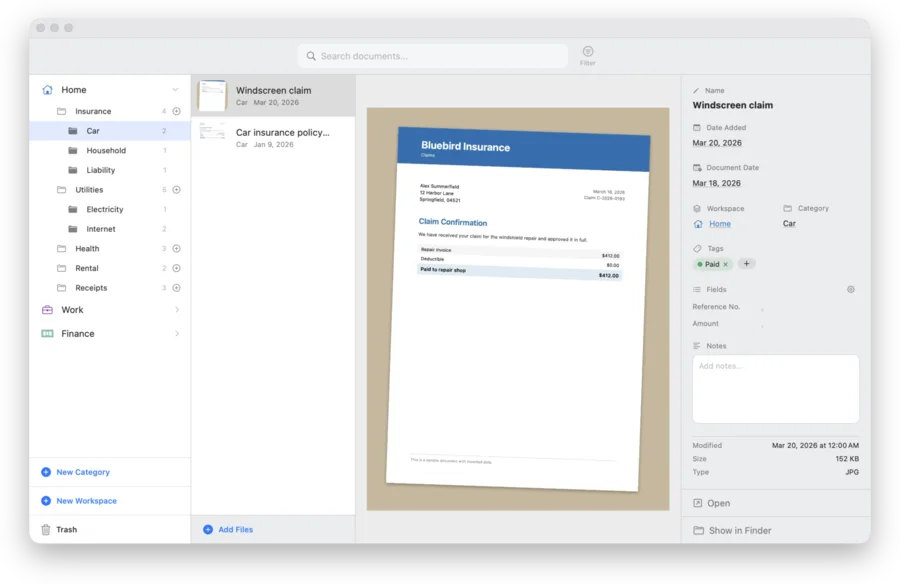
Create a workspace for each part of your life, such as home, work or finance. Inside, sort documents into categories and sub-categories. Every folder shows how many documents it holds, including everything inside it. PDFs, photos, text and Office documents open right in the window.
Search inside your documents
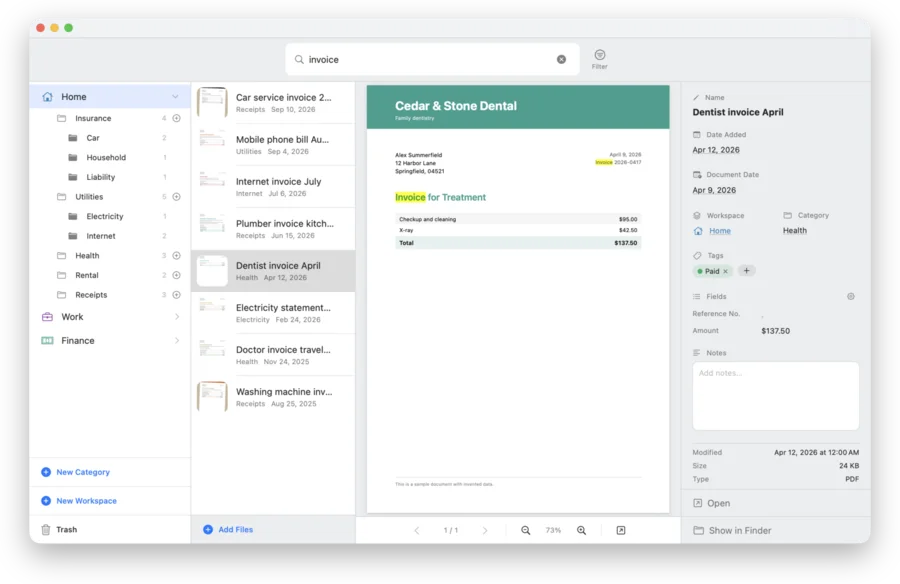
Find a document by what it says, not only by its name. Koda reads the text of PDFs, text files and Word documents, and runs text recognition on scanned PDFs on your device. Matches are highlighted in the preview.
File a whole stack in one pass
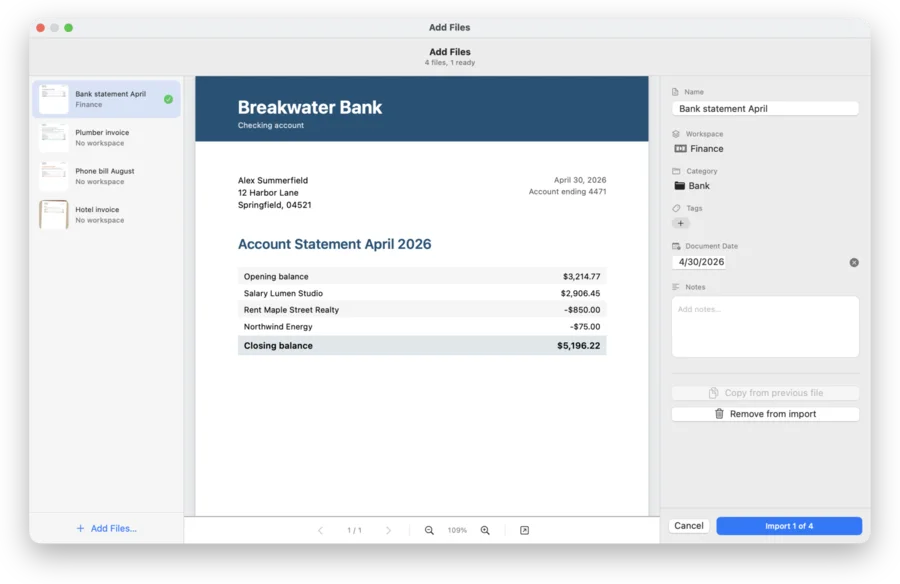
Drop files or whole folders onto Koda, then name, date, tag and file them one after the other. Merge several PDFs into one and put the pages in the right order before you import.
AI integrations (Koda Pro, on the Mac)
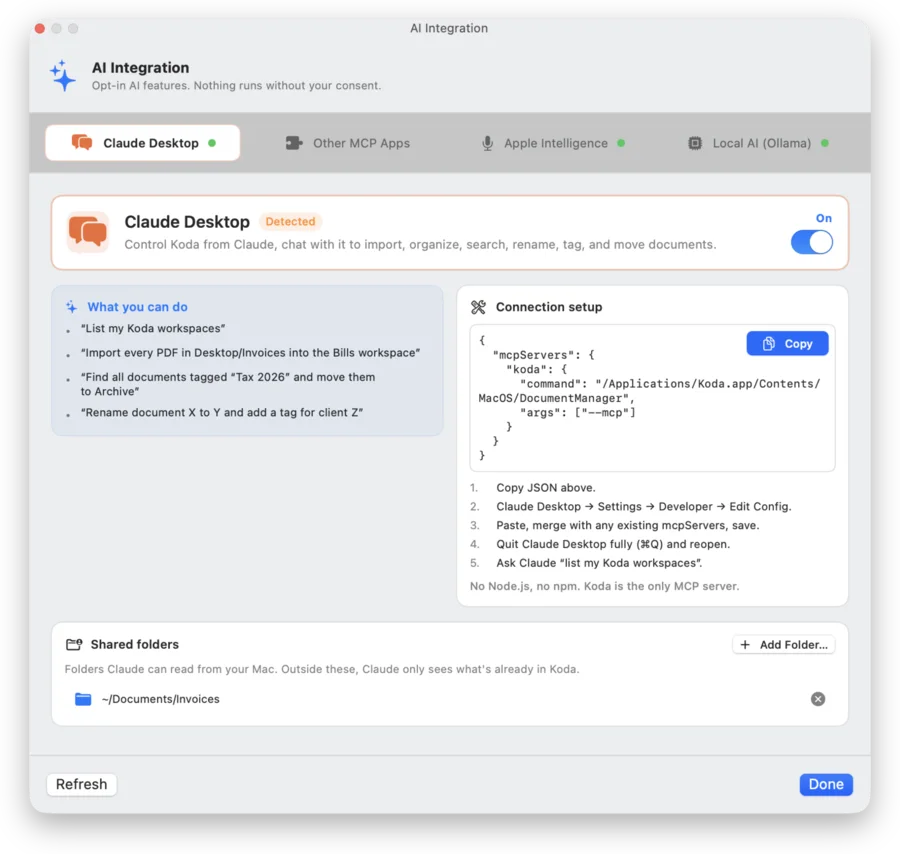
On the Mac, Koda has a built-in local server for the Model Context Protocol (MCP). Turn it on and Claude Desktop, Claude Code, Cursor, VS Code, LM Studio and other MCP apps on your Mac can list, search, import, rename, tag and move your documents. Or use Ollama: a model running on your Mac suggests a name, workspace, category and note when you import. Every integration is off until you turn it on.
More in Koda
-
Your files stay normal files
Koda stores documents as normal files in clearly named folders in iCloud Drive, or on the Mac in a folder you choose. You can open them in Finder and in the Files app at any time, with or without Koda.
- Normal files in iCloud Drive
- Sync through your own iCloud account
- No account with us
- No tracking, no analytics
-
Siri and Shortcuts (Koda Pro)
Open Koda and search your documents from Siri or your own shortcuts. On the Mac you can also queue files for import; there the feature stays off until you turn it on.
- Open Koda
- Search your documents in Koda
- Queue files for import (Mac)
Koda on iPhone and iPad
Scan a letter the moment it arrives, file it in the right folder, and find it again on any of your devices.
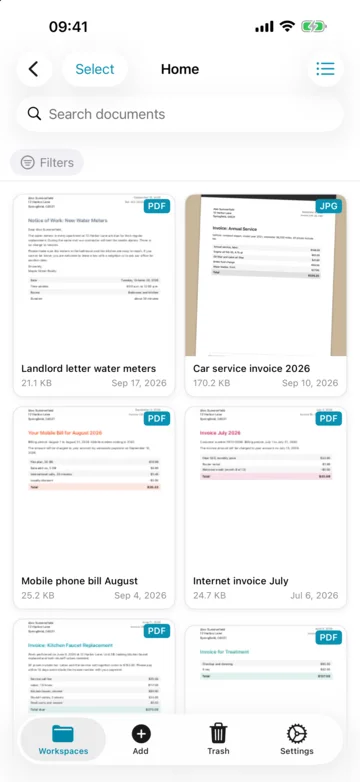
Scan with the camera
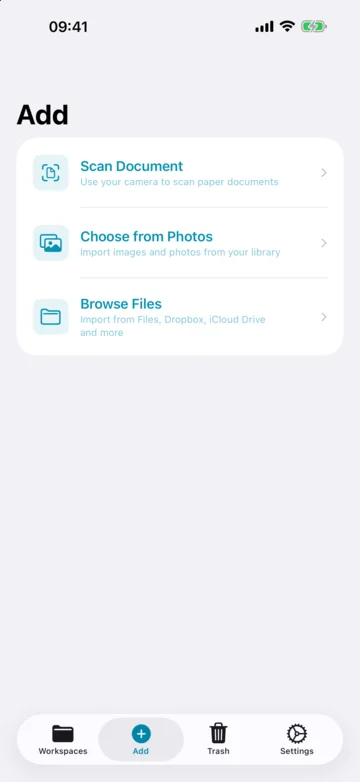
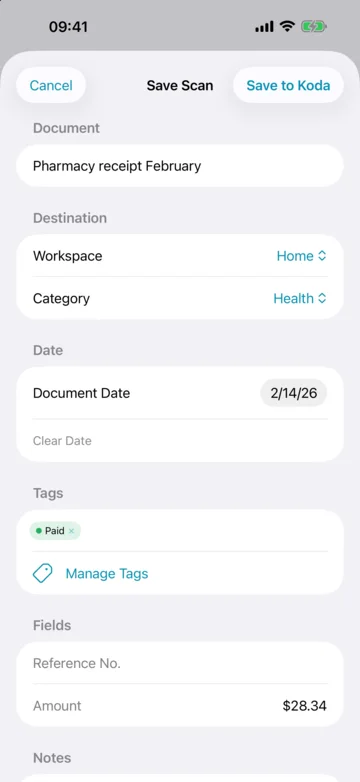
Point your iPhone or iPad at a page and Koda turns it into a clean PDF, with as many pages as the letter has. Name it, date it and file it in the same step. Pictures from your photo library and documents from the Files app are added the same way.
The same library through iCloud
Your library syncs through your own iCloud account. A scan made on your iPhone is on your Mac shortly after, already filed. In the Files app, every document is a normal file.
One purchase for all your devices
Buy Koda Pro once and it is unlocked on your Mac, iPhone and iPad. Family Sharing is included.
Free to try, Koda Pro once
Koda is free to download. The free version is a trial with room for a small library. Koda Pro is a one-time purchase with no subscription. The App Store shows the price.
-
Free version
- 1 workspace
- 4 categories
- 2 sub-categories per category
- 100 documents
- iCloud sync
- Search with text recognition
- Scanner on iPhone and iPad
-
Koda Pro
- Unlimited workspaces, categories and sub-categories
- Unlimited documents
- AI integrations on the Mac
- Siri and Shortcuts
- One-time purchase, no subscription
- One purchase for Mac, iPhone and iPad
- Family Sharing included
System requirements
Questions
What is Koda?
A document manager for Mac, iPhone and iPad. Koda files documents in workspaces, categories and sub-categories, searches inside them and keeps them as normal files in iCloud Drive.
Where are my documents stored?
As normal files in iCloud Drive, in folders named after your workspaces and categories. On the Mac you can choose a folder of your own instead; if it is outside iCloud Drive, the documents are not available on iPhone and iPad.
What does the free version include?
One workspace with four categories, two sub-categories per category and up to 100 documents, plus iCloud sync, search with text recognition and the scanner on iPhone and iPad. Documents in the Trash do not count.
Is Koda Pro a subscription?
No. Koda Pro is a one-time purchase. One purchase covers Mac, iPhone and iPad, and you can share it through Family Sharing. The App Store shows the price.
Which AI apps work with Koda?
On the Mac, with Koda Pro: Claude Desktop, Claude Code, Cursor, VS Code, LM Studio and other apps that can start a local MCP server, plus models running locally in Ollama. Every integration is off by default. If you connect an AI app that uses a cloud service, the documents you ask it to work with are processed by that app's provider.
Does Koda collect data?
No. No account, no analytics, no tracking, no ads. Scanning, search and text recognition run on your device.
Ready to get organised?
Free to download for Mac, iPhone and iPad. Koda Pro is a one-time purchase with no subscription.
Questions? Visit the Help center →