DocuRack for Mac
Document your server racks: every rack to scale, with pictures of your devices, every cable from port to port, and the power each rack draws. Native on the Mac, with no account and no internet.
Document every rack to scale
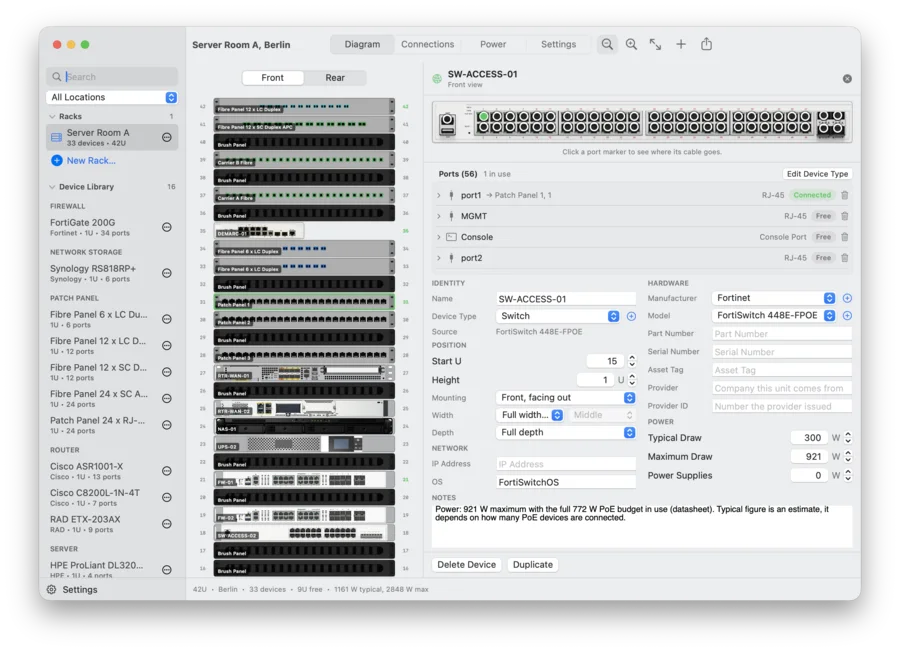
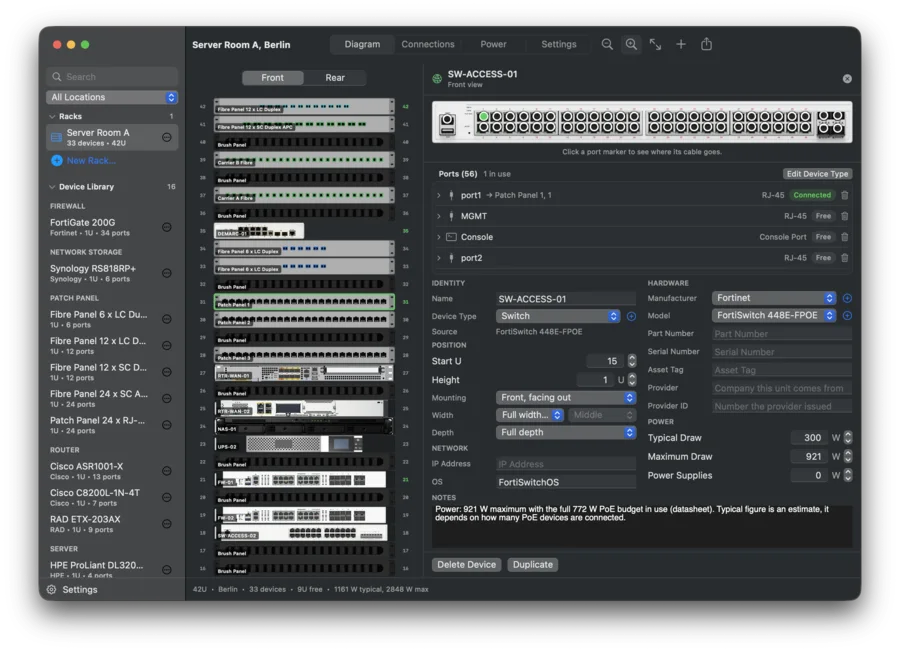
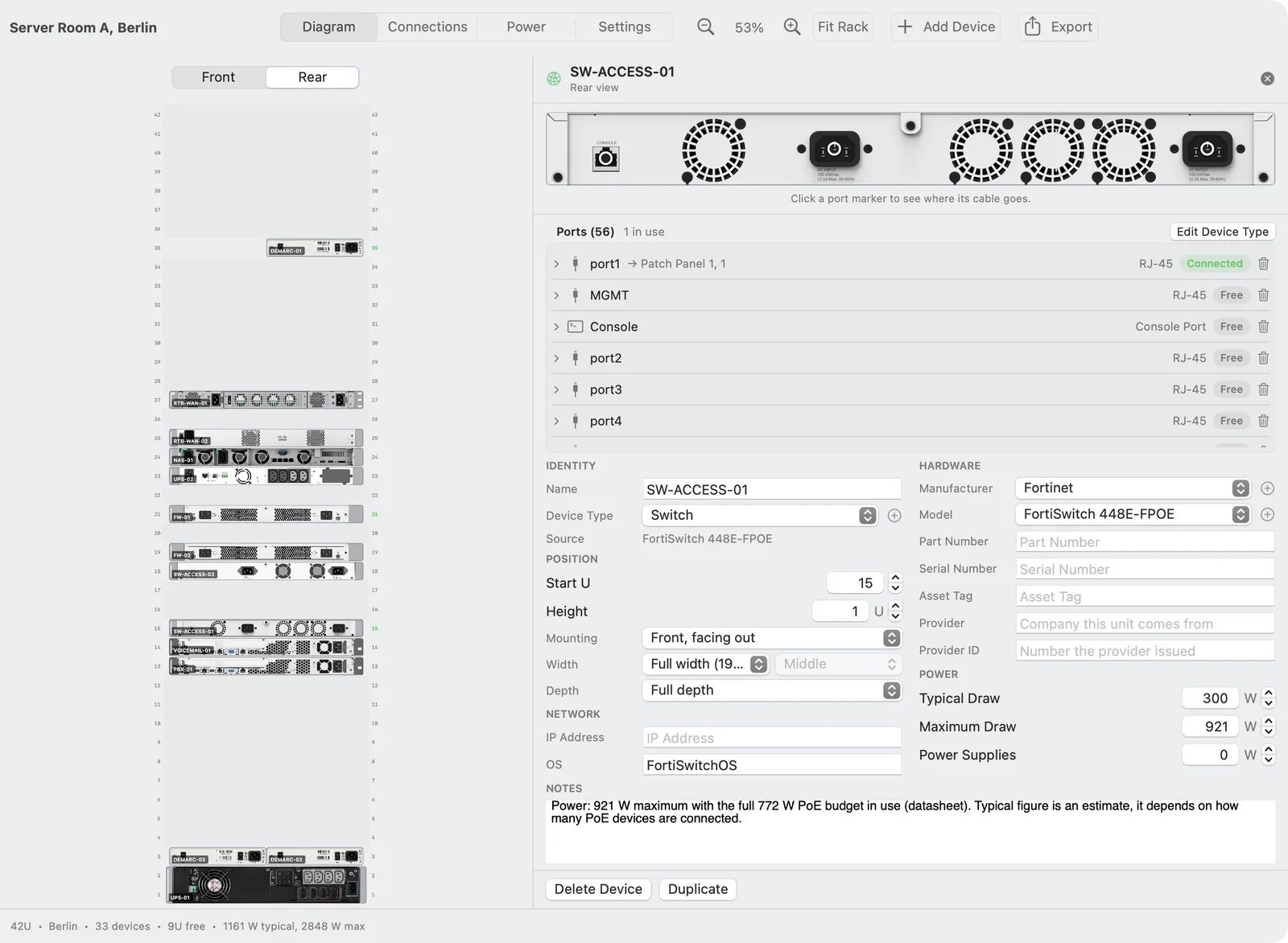
Every device sits at its rack unit, on the front or the rear, at full or half depth, and at half width too. The rack elevation shows pictures of your devices, not grey boxes. Click a device to see its ports, serial number, asset tag, IP address and power draw.
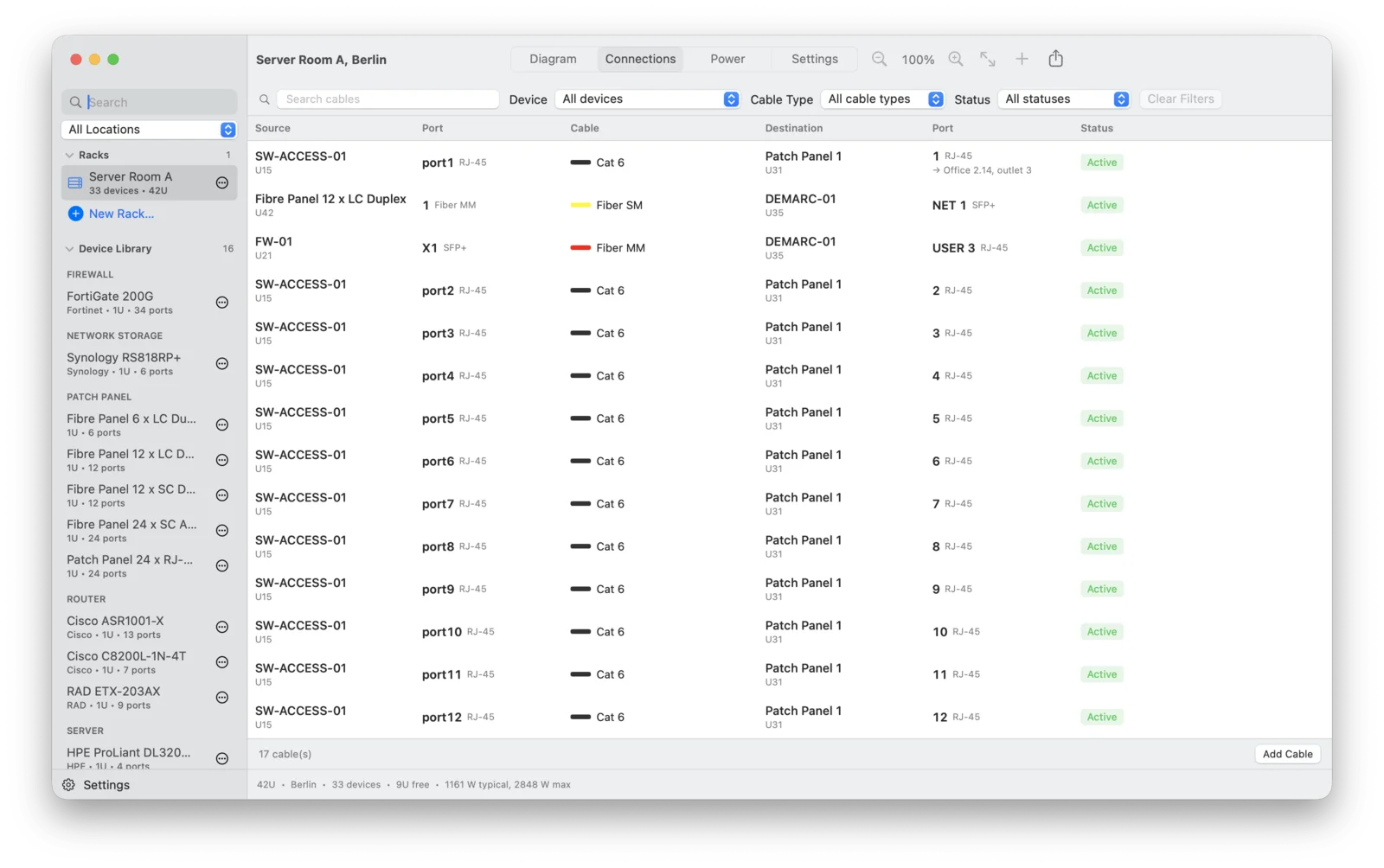
See where every cable ends
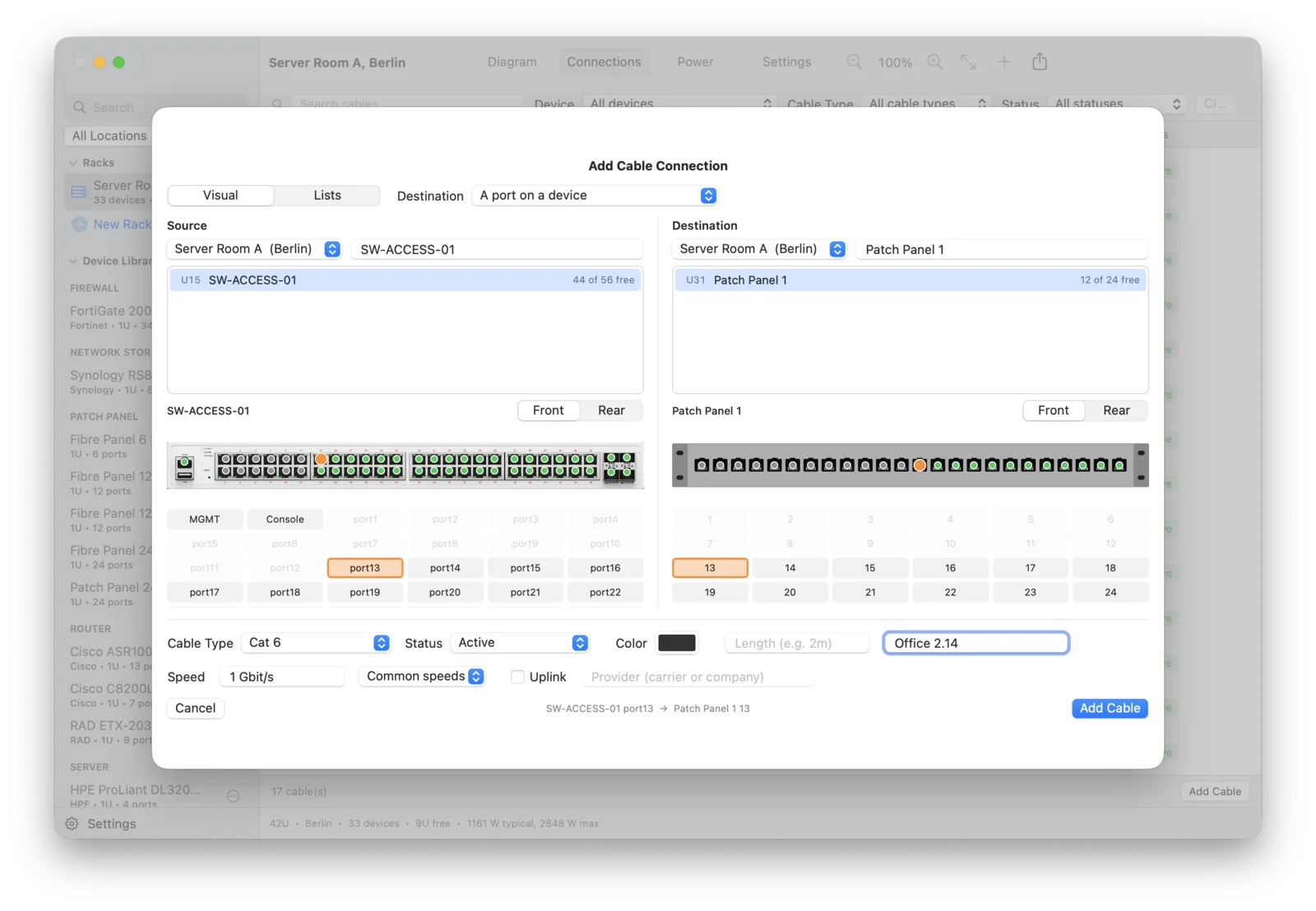
To add a cable, click a port on each device picture. Every cable has a type, color, length, label and status. A patch panel port records the room and network outlet it is wired to, and an uplink carries its provider, speed and circuit ID. Click a port in the rack to see the far end.
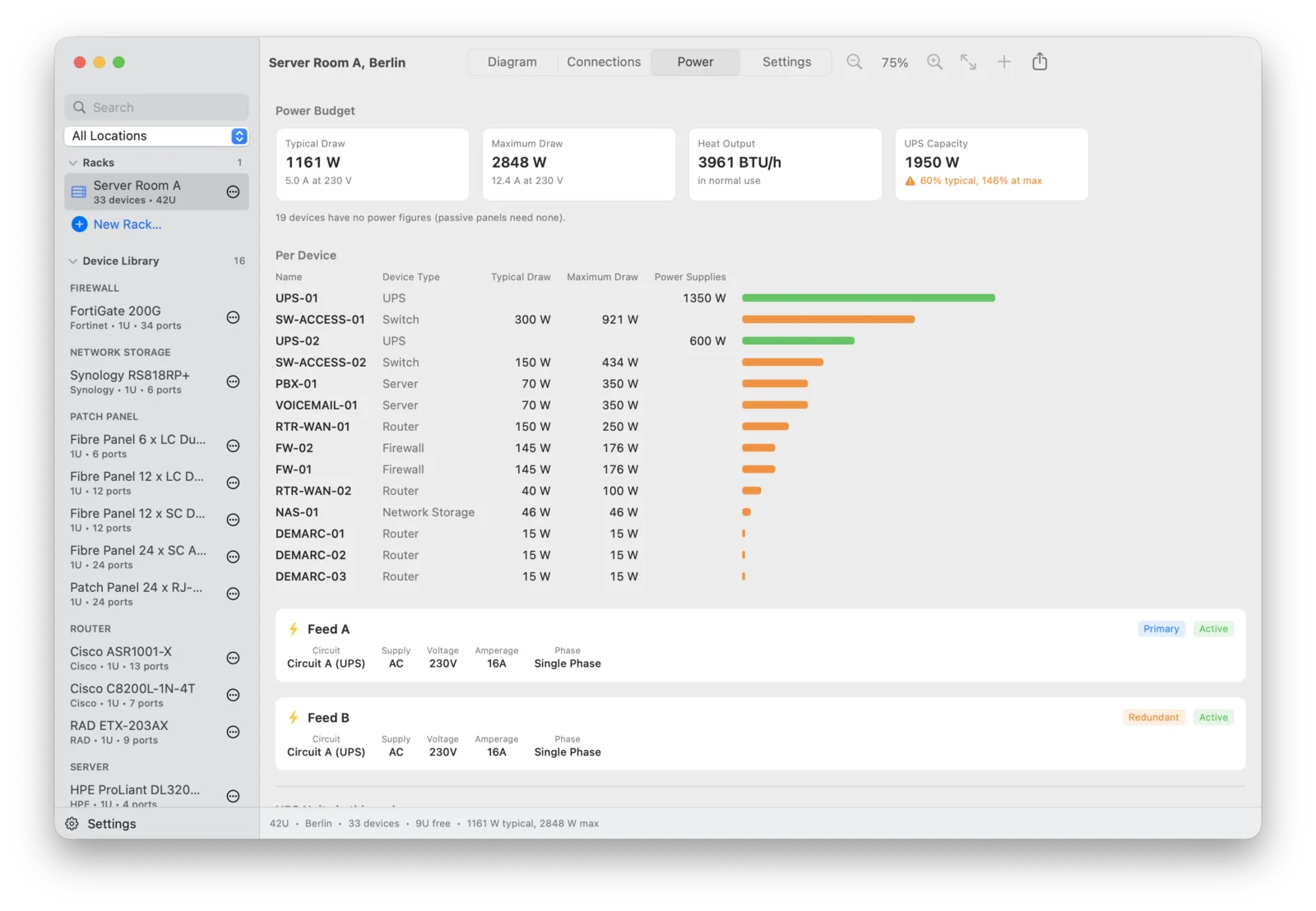
Know every rack's power draw
Enter the typical and maximum draw of each device. DocuRack adds them up per rack, converts to amps at 230 V and to heat output, and warns when the UPS cannot carry the maximum. Power feeds with voltage, amperage and phase are linked to the rack they supply.
Export the full rack report
One document for audits and handovers: the rack diagram front and rear, the device list, ports and connections, the cable list and power. As a PDF in portrait or landscape, as an Excel file, as CSV, or straight to the printer. Pass a whole rack to a colleague as one DocuRack file.
Build each device type just once
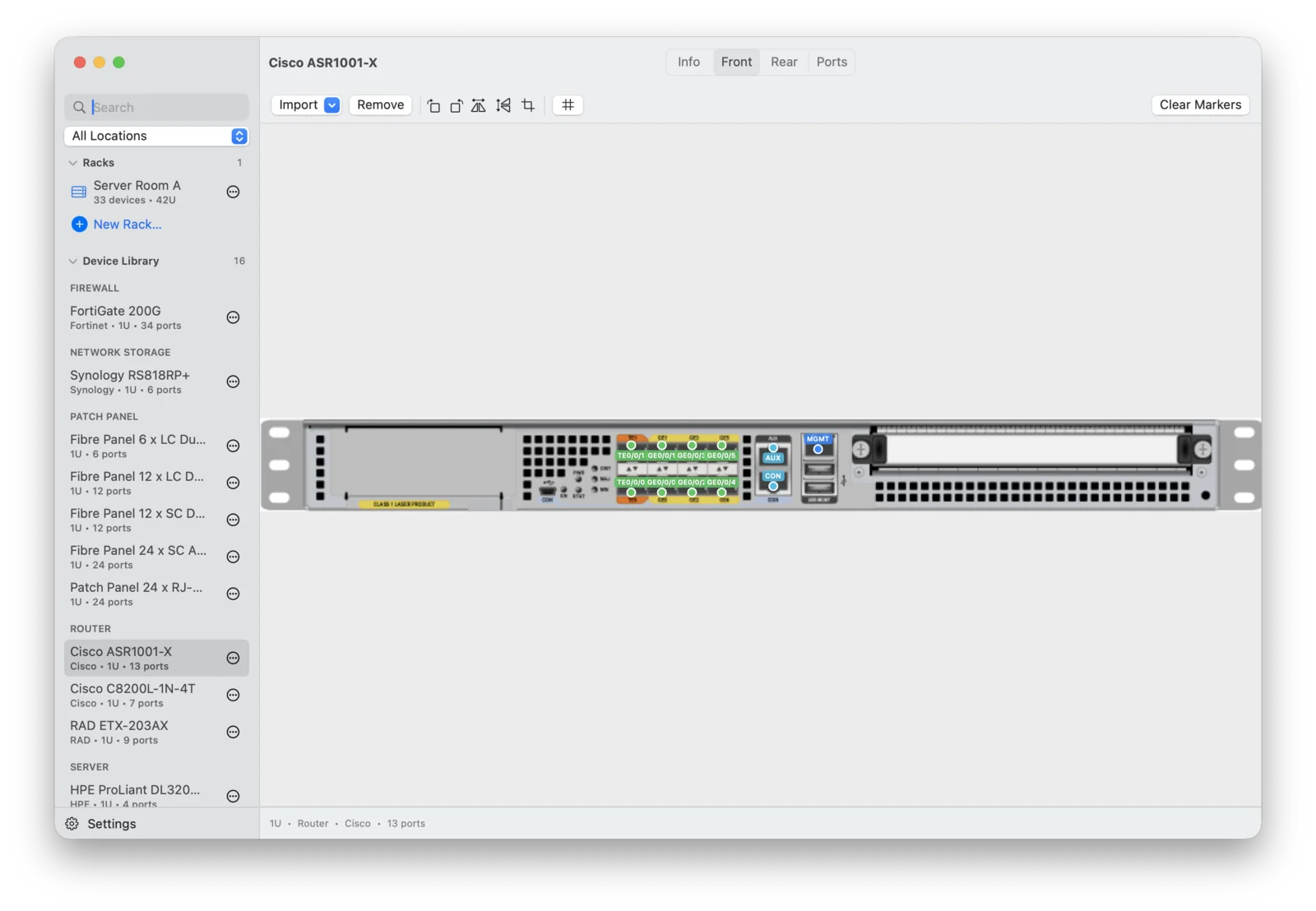
Your device library is your own and starts empty. A device type has a make, a model, a height, power figures, a front and a rear picture, and its ports. You mark every port on the picture and reuse the type in every rack. Patch panels, fibre panels and power strips come from a template.
Specifications
Questions
What is DocuRack?
A native Mac app for documenting server racks: rack elevations to scale, cables between ports, a power budget and a rack report you can export.
Does DocuRack discover my devices?
No. DocuRack does not scan or monitor anything. You enter what is in the rack and how it is cabled. Power figures are the values you type in, not measurements.
Are device pictures included?
No, the library starts empty. You add pictures of your own devices. DocuRack generates patch panels, fibre panels and power strips from a template.
Where is my data stored?
In a file on your Mac. DocuRack needs no account, has no telemetry and has no network permission.
What does the free version do?
It documents one rack with up to ten devices. More racks, more devices and export are part of DocuRack Pro.
How do I pass a rack to a colleague?
As a DocuRack file (.rck). It holds the rack with its devices, pictures and cables, and is imported into DocuRack on the other Mac.