SSH Config Manager for Mac
A native macOS home for everything SSH. Edit ~/.ssh/config option by option without ever losing a comment, create and manage keys, clean up known_hosts and keep your own command-line scripts in one window.
Help center →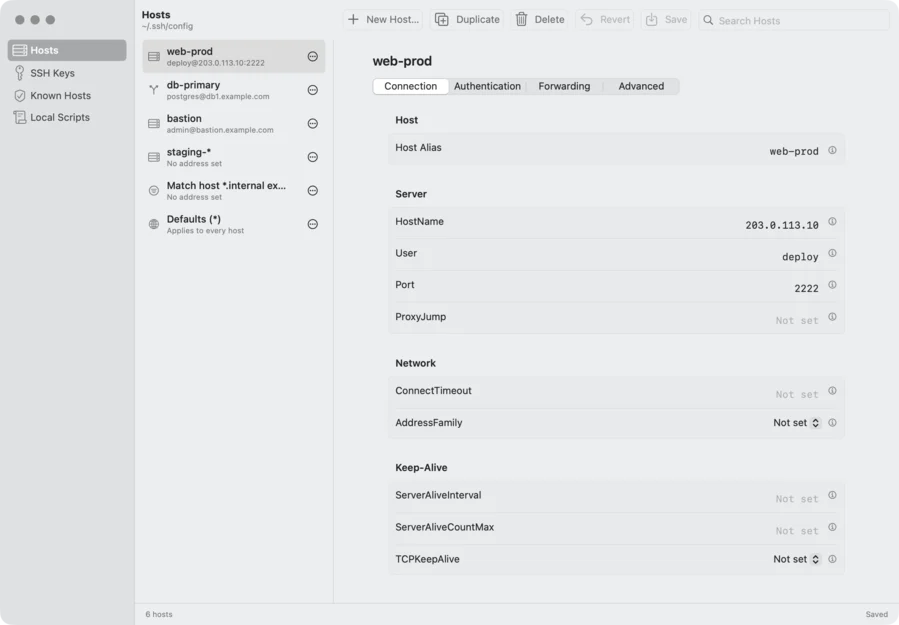
Every option, one click away
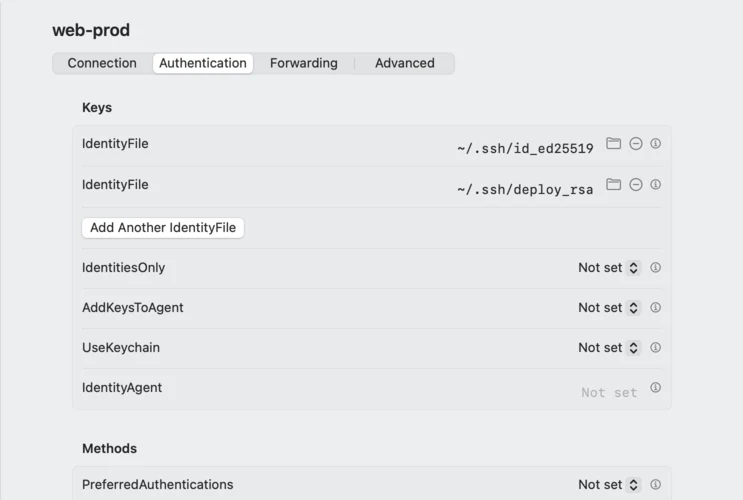
Each host opens in four tabs: Connection, Authentication, Forwarding and Advanced. Every option is always on screen with its own control and a short explanation, and options that may appear more than once, such as IdentityFile or LocalForward, get one row each.
Keys without the command line
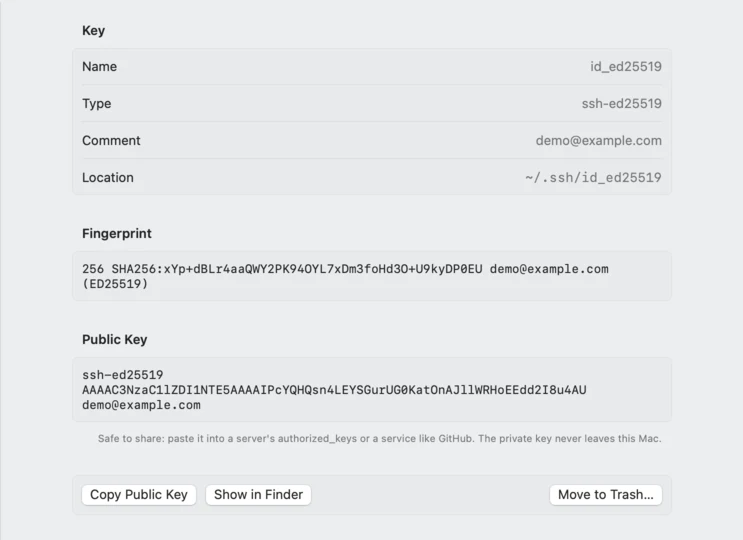
Generate ED25519, RSA or ECDSA key pairs, see each fingerprint and public key at a glance, and copy the public key with one click. Keys you no longer need go to the Trash, so nothing is lost by mistake.
Known hosts, cleaned up
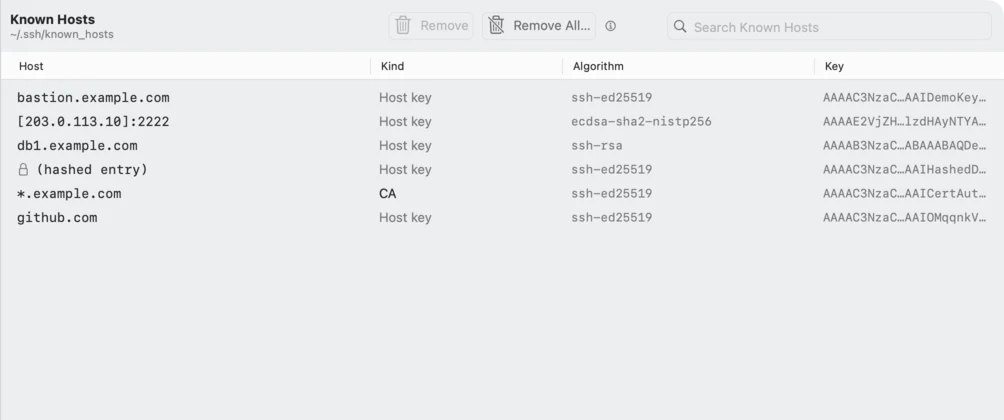
Browse every server your Mac has connected to, including hashed entries and certificate authorities. Search, remove one entry, or clear them all in one go when a server was reinstalled.
More in SSH Config Manager
-
Your file stays yours
Only the lines you change are rewritten. Comments, Include and Match blocks, repeated options and your own formatting survive every save, and the previous version is backed up first.
-
Safe by default
New hosts are placed above Host * so their settings take effect. A host without a name can't be saved, and the app asks before you quit with unsaved changes.
-
Local scripts
Create and edit your own commands in /usr/local/bin. When the folder needs administrator rights, macOS asks for Touch ID or your password.
Specifications
SHA-25627473bcd27aa9aa766add502b2afdcde3c4a7eb4071ecce6a5ab12bc53abc0fe
Ready to tame SSH?
Download SSH Config Manager and manage your entire SSH setup from one native macOS window.
First launch tips? See the Help center →